A calm mood journal. Your data stays yours.
Log how you feel in a few seconds. No ads, no pop-ups, and your journal exports for free: the essentials are free, forever.
Coming soon to iPhone and Android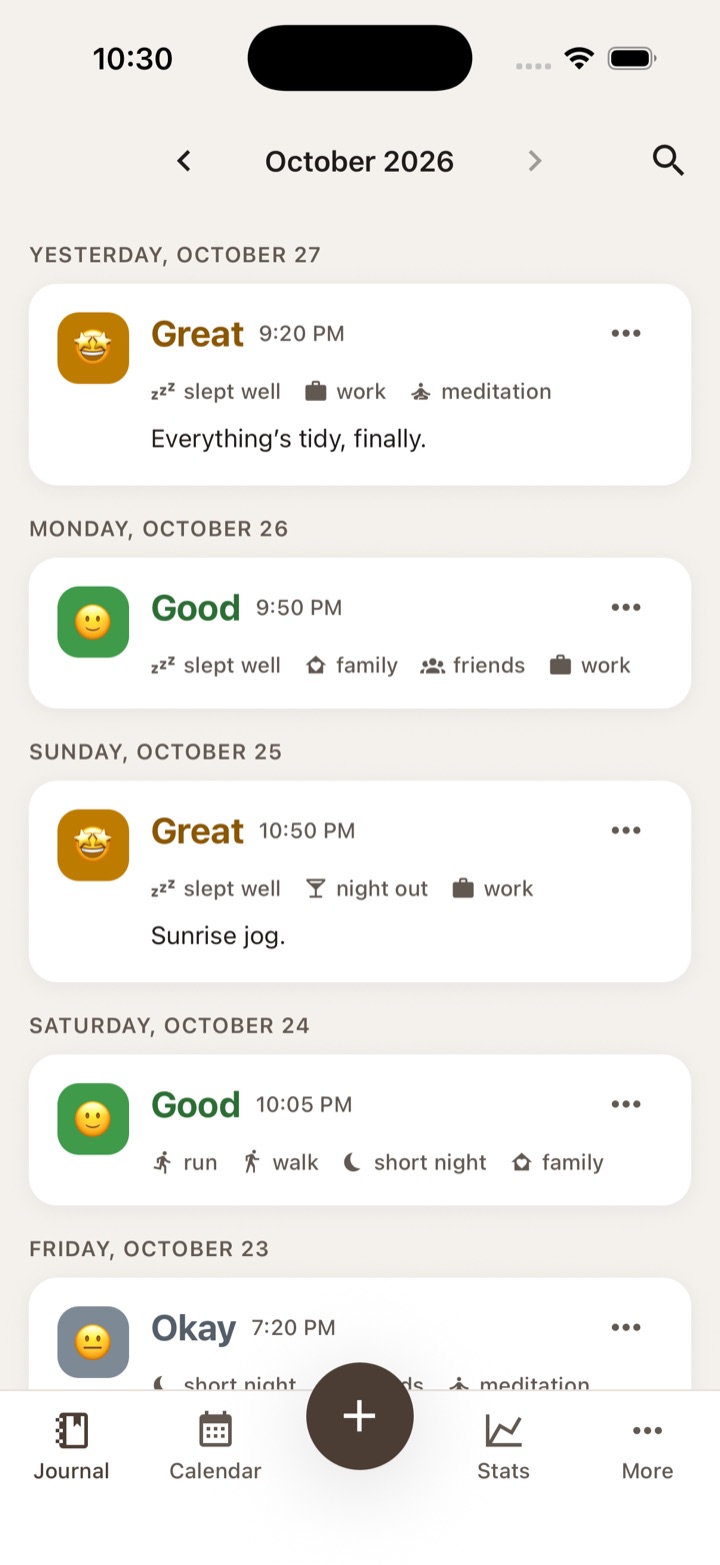
A private journal shouldn't try to sell you things.
Mood journal apps promise calm. Too often, they deliver something else.
Money comes before calm
Ads, even in paid versions. Trials that turn into charges without warning. Features that suddenly move behind a paywall, and "lifetime" purchases that disappear.
Years of entries, gone
You switch phones and everything is lost: the backup was a paid feature, or tied to an account you never made.
Three taps and you're done.
Pick your mood
Five levels, from sunny to stormy, plus your own shades.
Tap what you did
Exercise, sleep, friends, work: one tap per activity.
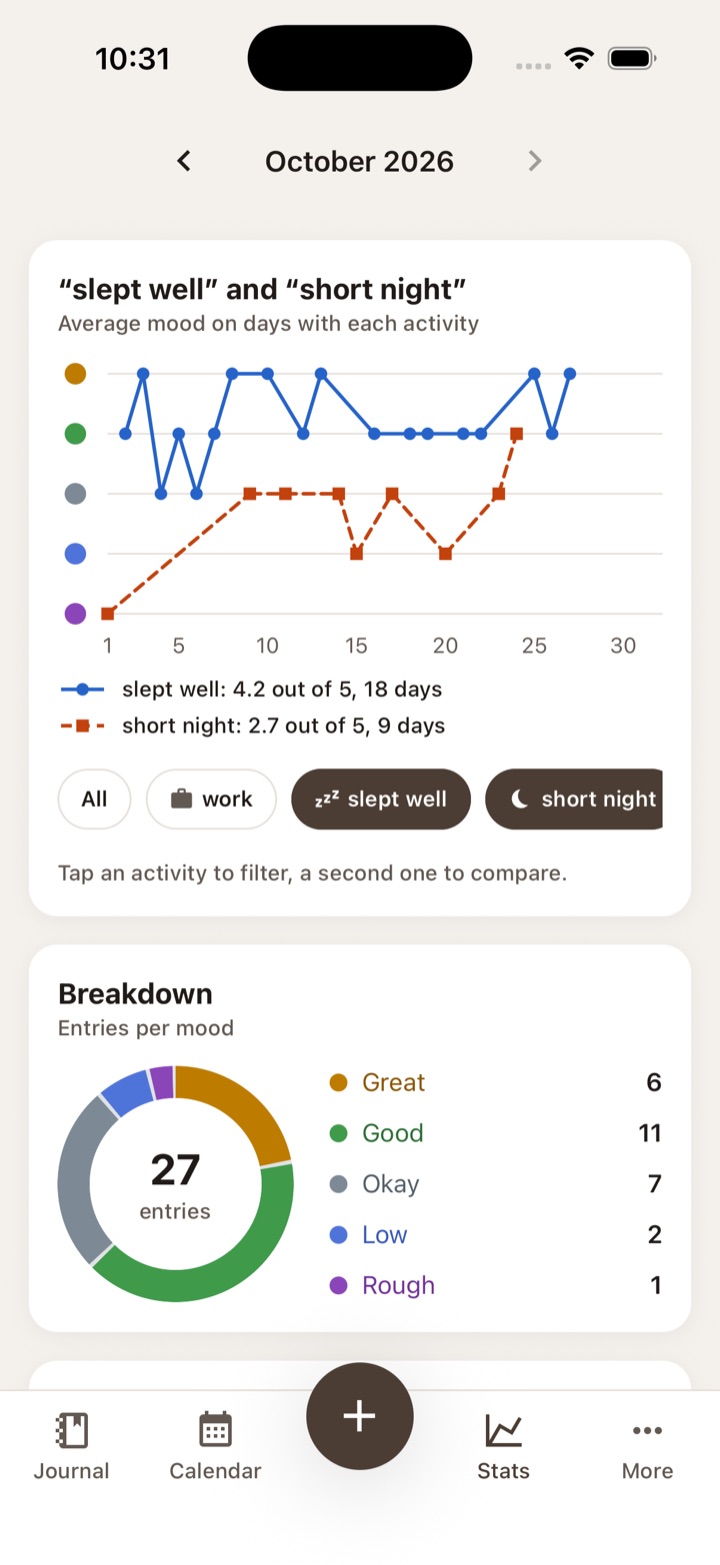
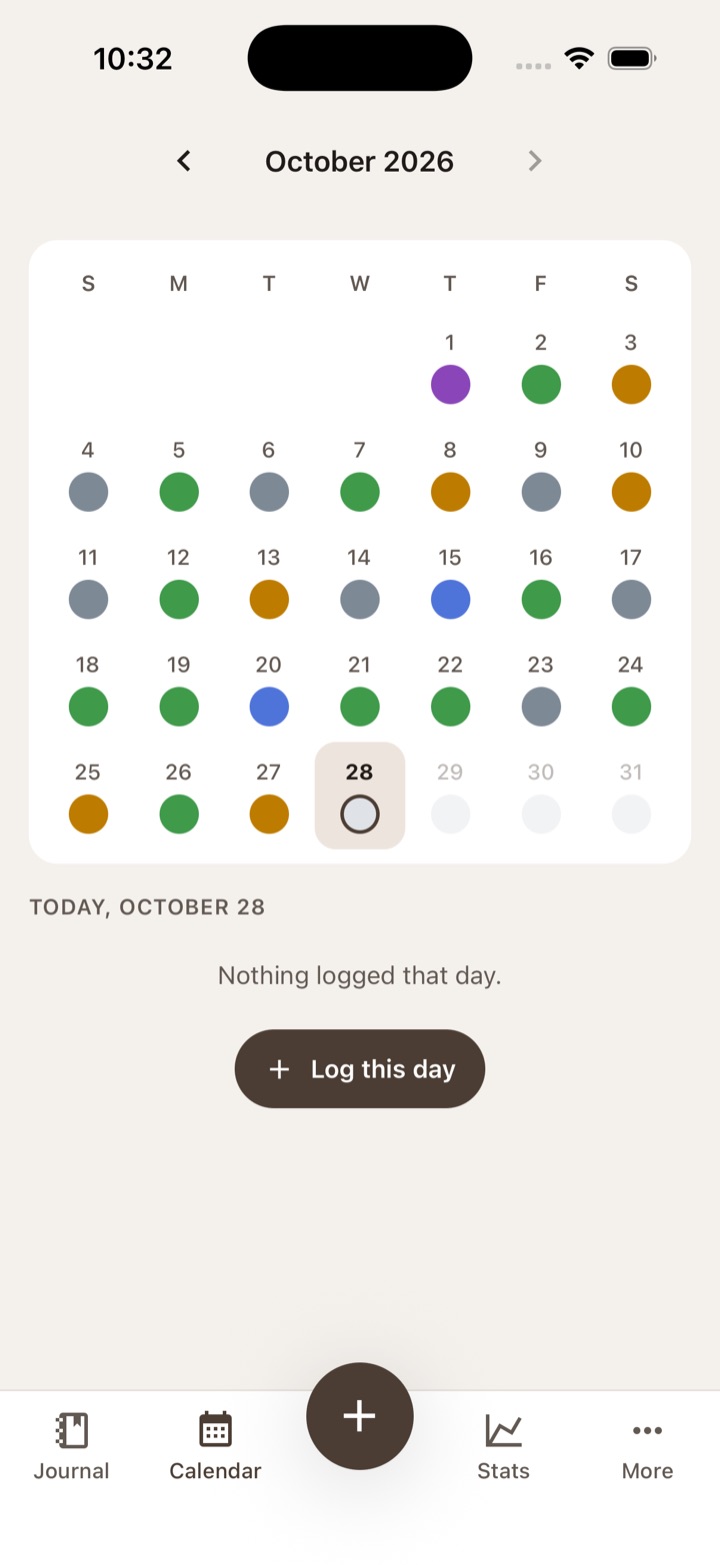
Watch your weeks take shape
Your monthly mood line, a color-coded calendar, your year at a glance.
What's different with Moodstone
Each point answers a common complaint about mood journal apps.
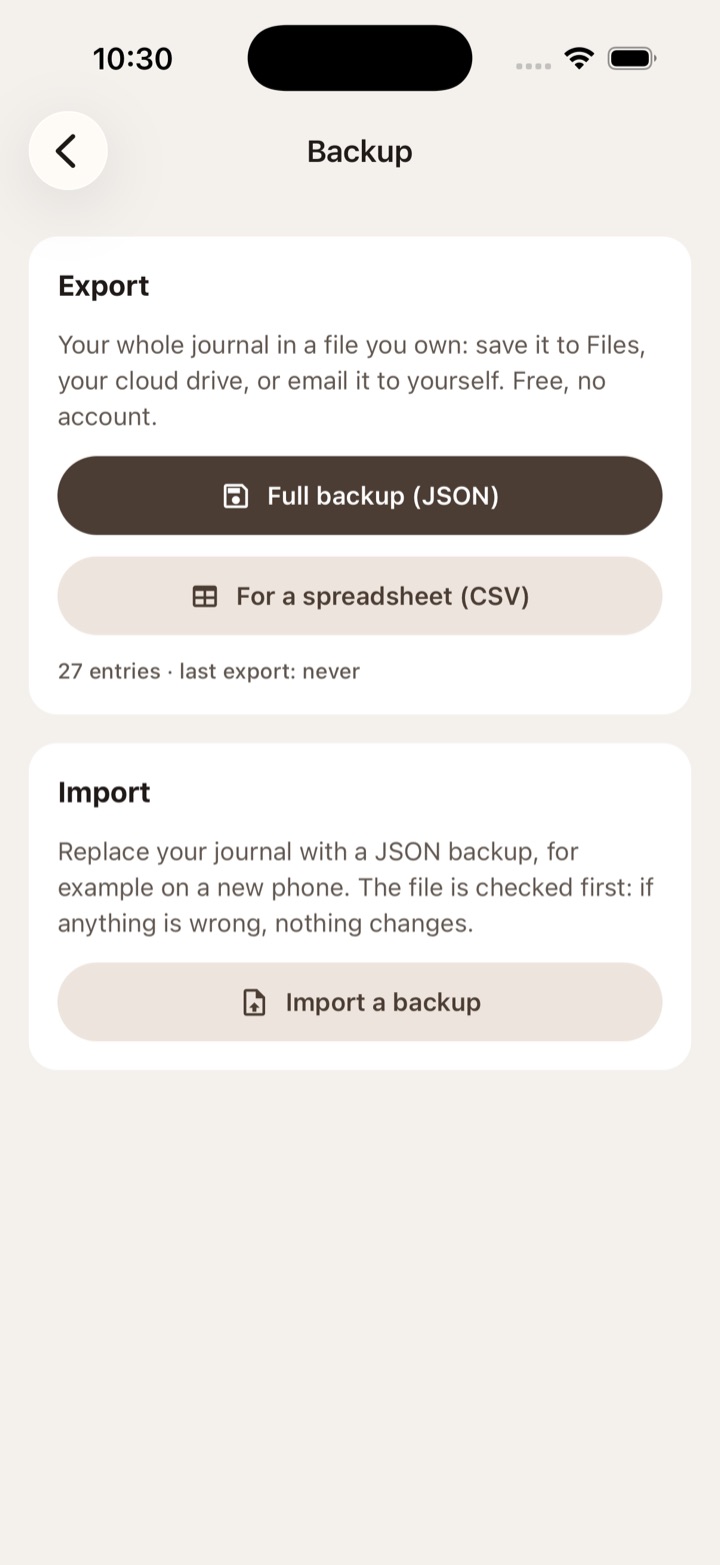
Your journal, in a file you own
Full backup and CSV export, free. Import checks the whole file before it touches anything.
No ads, no pop-ups
No ads, no promo notifications, no sales windows. You only see the subscription if you go looking for it.
No streak to protect
No badges, no "great job!", no guilt. Log whenever you like.
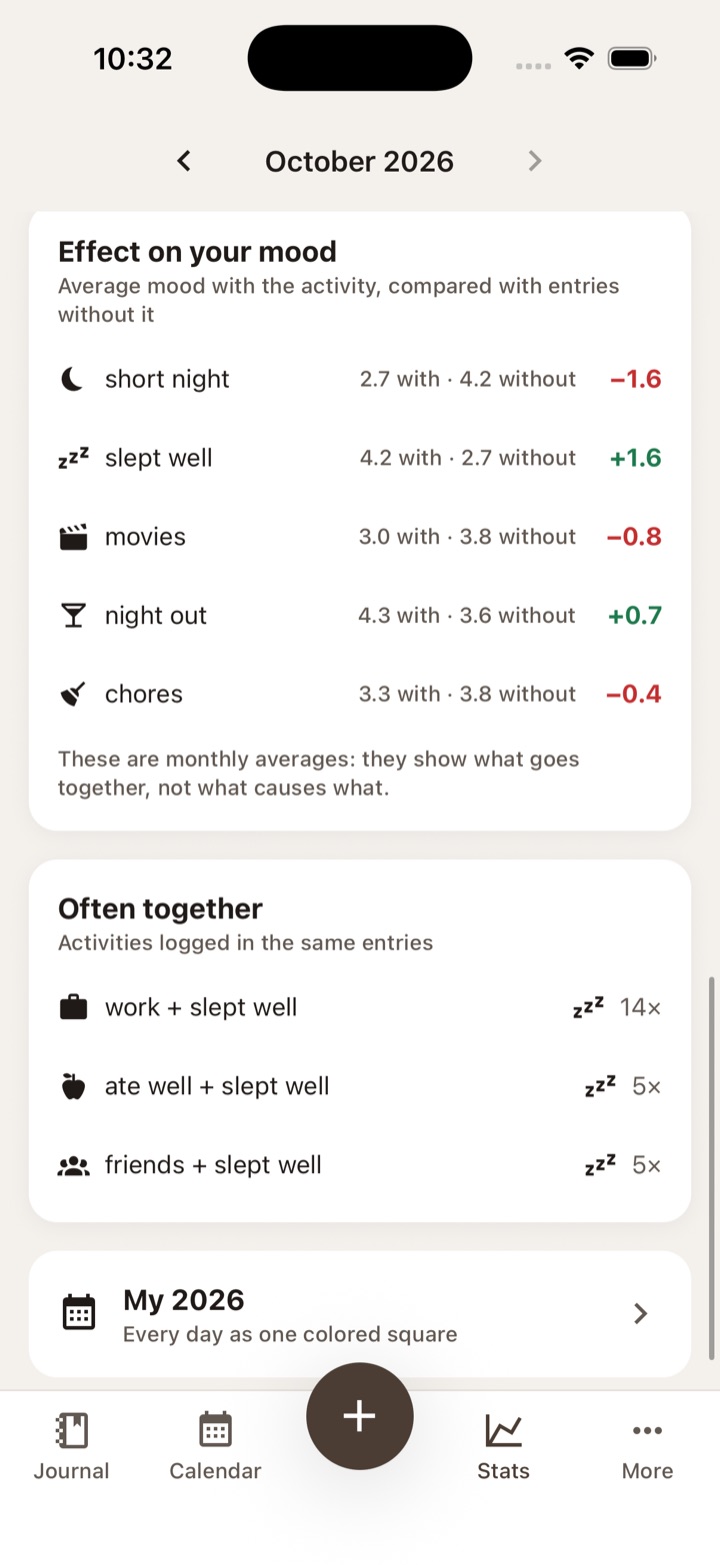
Compare two activities
Two lines on the same month, and your average mood with and without each activity.
Your moods, your stats
Your custom moods are counted on their own, not just by level.
For night owls
Choose when your day ends: an entry at 2 AM counts for the day before.
And the rest: a day-by-day journal, a calendar, search through your notes, a daily reminder, your year in colored squares.
The app, as it is
Screenshots of the real app, with a month of sample data.
Pricing
The essentials are free forever. Moodstone Plus adds advanced stats, with 14 days to try it.
Free
$0
Logging, journal, calendar, search, reminder, monthly mood line, and export and import of your whole journal. No time limit, no entry limit.
Moodstone Plus
$4.99 / month
or $29.99 per year. Compare two activities, effect on your mood, stats per custom mood, your year in color, custom end of day.
You see the date of your first payment before you subscribe, and a reminder tells you 2 days before the trial ends. Cancel anytime.
Questions
What stays free?
Logging, the journal, the calendar, search, the reminder, the monthly mood line, and export and import of your whole journal. Forever: nothing on this list will become paid.
How does the Moodstone Plus trial work?
New subscribers get 14 days free. The subscription screen shows the exact date of your first payment, and the app sends you a reminder 2 days before (you can turn it off). To cancel, one button takes you straight to your Apple or Google subscriptions.
If I cancel, do I lose my data?
No. You keep your whole journal, and you can always export it. Only the Plus features lock.
Where is my data?
Your journal is on your phone and in the files you export. No account, no server: it goes nowhere. Only the Plus subscription, if you choose it, goes through Apple or Google and our subscription provider, with an anonymous ID.
I'm getting a new phone. What do I do?
Export the full backup, save it wherever you like (Files, your cloud drive, an email to yourself), then import it on the new phone.
Can I import my journal from another app?
Not yet: Moodstone only reads its own backups. We won't promise an import until it exists.
Are there reminders?
One, at the time you choose, and you can turn it off.
Is this a medical tool?
No. Moodstone helps you keep track of your days. It doesn't diagnose anything and doesn't replace a health professional.
Coming soon to the App Store and Google Play
Moodstone is on its way. There's no waitlist yet: this page doesn't ask you for anything.